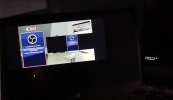

I was already live streaming when I tried to update my live chat link, and a strange black screen appeared.
OBS itself continued running normally in the background, but the Properties window was covered by a black layer, making it impossible to see my cursor. I could press Enter or Esc to close the window, but that didn't really solve the problem because I still couldn't edit the chat link.
This issue doesn't only happen in the Properties menu of Browser Sources. It also occurs with Text Sources and Media Sources. The bug seems to happen randomly, sometimes it appears, sometimes it doesn't.
It doesn't only happen while streaming, either. I've also experienced it while setting everything up before going live.
Because of this issue, I couldn't make any changes during the stream and eventually had to postpone it until I can find a solution.
I hope someone can help me solve this issue.
I'm using the latest OBS update.
Here's a video showing the bug:
 drive.google.com
OBS itself continued running normally in the background, but the Properties window was covered by a black layer, making it impossible to see my cursor. I could press Enter or Esc to close the window, but that didn't really solve the problem because I still couldn't edit the chat link.
This issue doesn't only happen in the Properties menu of Browser Sources. It also occurs with Text Sources and Media Sources. The bug seems to happen randomly, sometimes it appears, sometimes it doesn't.
It doesn't only happen while streaming, either. I've also experienced it while setting everything up before going live.
Because of this issue, I couldn't make any changes during the stream and eventually had to postpone it until I can find a solution.
I hope someone can help me solve this issue.
I'm using the latest OBS update.
Here's a video showing the bug:
VID_20260602_193745.mp4
drive.google.com