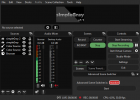
simplyGray

simplyGray simplyGray V2 for OBS 32.2.0

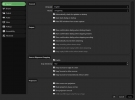
The advanced scene switcher plugin displays checkboxes instead of expand/collapse icons.
This happens with all themes, including the original OBS themes (as far as I tested)
So I don't have any direct influence on it, maybe it's due to an internal change in OBS or an incoherence in the Advanced Scene Switcher layouting. IDK

Since I already had to play around with the checkboxes, I took the opportunity to make them consistent across OBS, not just in the Settings window.

New statusbar implemented & some minor fixes
More polishing on:
  • additional/floating windows like: (advanced audio properties, filters, tools etc.)
  • top window docks
  • plugins -> like advanced scene switcher

!Text colors also are global variables now .
(Easily match the text color, to your highlight colors needs.)

Example:
If you set your "highlight" background color to yellow.​
The white text, is probably not easy to read.​
  • "text" -> Just set it to a more appropriate RGB value.
  • "highlightedText" -> applies the same way. This text color is active, on mouse interactions and/or state changes.
Some element and text design changes,
to draw attention to the main components and clean up the overall look.

Attachments

  • OBS MAIN1.1.png
    OBS MAIN1.1.png
    47.6 KB · Views: 256
  • OBS Settings1.1.png
    OBS Settings1.1.png
    49.5 KB · Views: 252
Back
Top